Advanced AI Multi-File Agent Skills: Guardrails, Context Efficiency, and Scale


Mr. Roy
Published about 2 months ago
Discover curated collections of blog posts
Mr. Roy
Published about 2 months ago
Strategic Writer
A technology and business leader with a strong focus on digital transformation, software delivery, and strategic growth. Experienced in leading JavaScript-focused teams, driving business development initiatives, and building innovative SaaS products. Passionate about AI-powered solutions, product development, stakeholder management, and creating scalable digital platforms. Skilled at bridging the gap between business objectives and technology execution while fostering collaboration across clients, teams, and partners.
Get personalized recommendations based on your reading history and interests. Visit the member dashboard to see blogs tailored just for you.
When building complex engineering platforms like CodeOps AI, simple prompt instructions quickly hit a wall. As your monorepo workspace expands across apps/backend and apps/frontend, cramming long coding guidelines, security constraints, and database schemas into every prompt bloats your context window and inflates API token costs.
To build production-grade agent workflows, you need fine-grained control over what your AI terminal assistant can execute, how reliably it triggers, and how efficiently it loads supporting documentation. In this guide, we will explore advanced skill configurations—focusing on security guardrails, progressive disclosure patterns, and zero-context executable scripts inside our CodeOps AI NestJS, Next.js, and MongoDB monorepo.
Configure advanced frontmatter fields, including allowed-tools and model parameters.
Enforce strict read-only execution guardrails for sensitive auditing or onboarding workflows.
Verify skill activation, tool restrictions, and model selection in live terminal prompts.
Structure large skill blueprints using progressive disclosure across subdirectories to maximize token efficiency.
Execute utility scripts directly from terminal skills without bloating active prompt context windows.
While a basic skill only requires a name and a description, enterprise engineering workflows require tighter operational boundaries. The open agent skill standard supports optional frontmatter attributes that shape how the model behaves:
name (Required): Lowercase string (max 64 characters) using hyphens. Must match the folder name inside .claude/skills/ exactly.
description (Required): The semantic matching trigger (max 1,024 characters). It must clearly answer two core questions: What does this skill accomplish? And exactly when should the agent activate it?
allowed-tools (Optional): An explicit whitelist of tools the agent can run while this skill is active.
model (Optional): Overrides the default runtime model to direct complex architectural reasoning to higher-tier models.
In practice, one challenge I often see when onboarding developers or auditing production systems is the risk of unexpected side effects. For instance, when inspecting our CodeOps AI MongoDB schemas or reading backend NestJS controllers in apps/backend/src/We want the agent to analyze our setup without modifying files or executing destructive DB commands.
By specifying the allowed-tools field, we restrict the agent's capabilities exclusively to read and search functions.
---
name: codeops-backend-audit
description: Audits NestJS backend modules, MongoDB Mongoose schemas, and DTO validations for architectural compliance. Trigger when reviewing backend code quality, checking API security, or auditing CodeOps AI database models.
allowed-tools: Read, Grep, Glob, Bash
model: sonnet
---

# CodeOps AI Backend Architectural Audit

When reviewing or auditing backend code within this NestJS and MongoDB repository, execute the following evaluation steps:

## 1. NestJS Module Integrity
- Verify that every domain feature (e.g., Auth, Projects, Requirements, Tasks) maintains its own isolated module under `apps/backend/src/`.
- Ensure controllers only handle request routing and HTTP responses, delegating all business logic to dedicated services.

## 2. DTO & Validation Layer
- Inspect all Data Transfer Objects (DTOs) in `dto/` directories.
- Confirm that every request payload uses `class-validator` decorators.
- Verify that global `ValidationPipe` with `{ whitelist: true, forbidNonWhitelisted: true }` is enabled in `main.ts`.

## 3. MongoDB & Mongoose Schema Standards
- Check Mongoose schema definitions in `schemas/`.
- Ensure critical query fields (such as `projectId`, `userId`, `tenantId`) have explicit indexes defined (`index: true`).
- Confirm that timestamps (`{ timestamps: true }`) are enabled on all domain collections.
When this skill triggers, write operations like file edits or git pushes are strictly blocked without manual authorization. Omitting allowed-tools returns the agent to standard system permissions.
A common mistake many teams make when standardizing engineering documentation is writing a single, massive 2,000-line Markdown file. Every time that skill activates, your entire context window fills up with rules you don't immediately need.
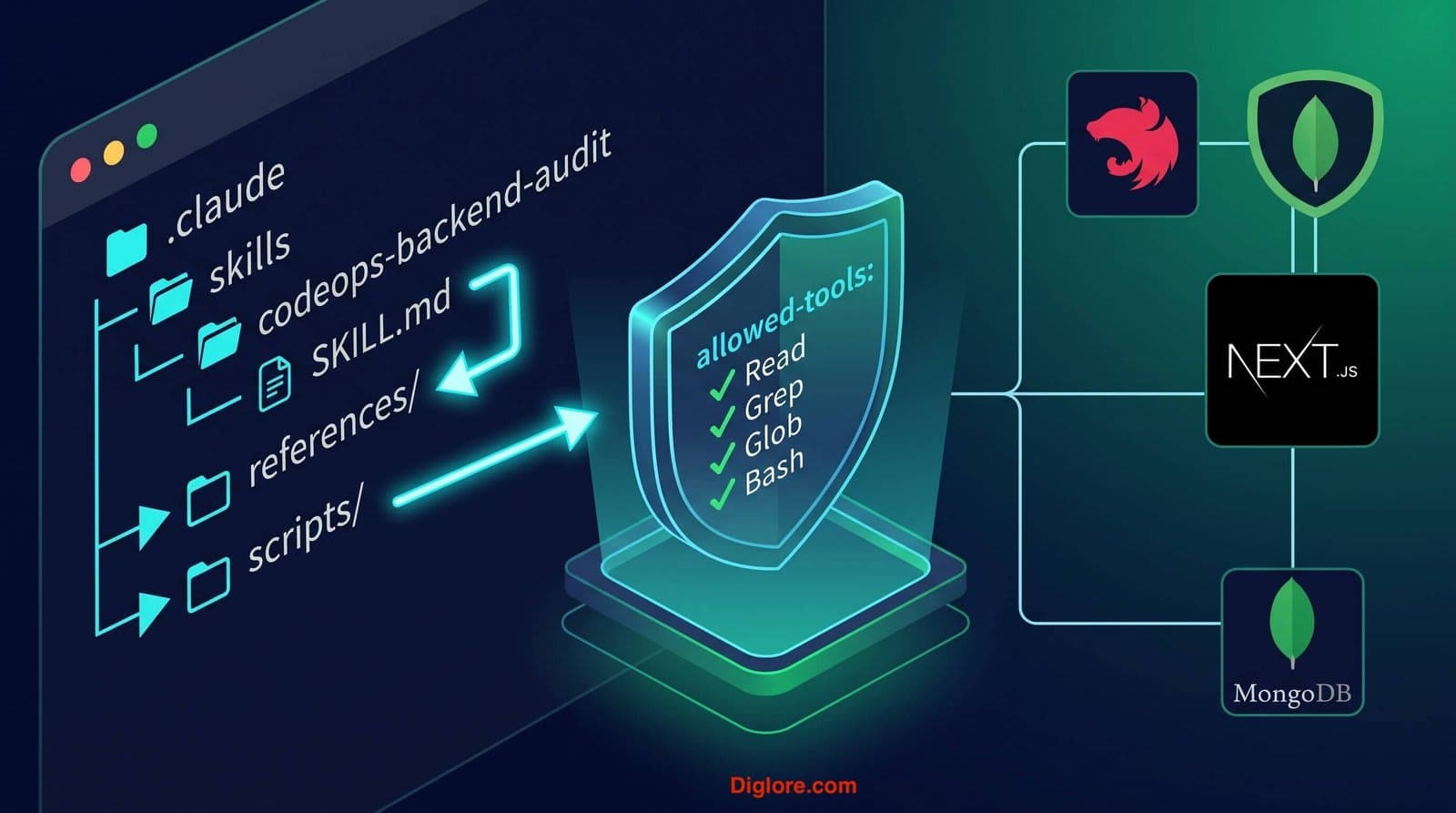
The solution is Progressive Disclosure. Keep the core .claude/skills/codeops-backend-audit/SKILL.md file under 500 lines, serving as a lightweight directory. Place detailed specifications into subdirectories that the agent reads only on demand:
references/: Detailed API schemas, design systems, or database mapping rules (e.g., .claude/skills/codeops-backend-audit/references/mongo-schema-guide.md).
scripts/: Executable TypeScript or Shell utilities that perform environment checks or package audits (e.g., .claude/skills/codeops-backend-audit/scripts/check-deps.sh).
assets/: Boilerplate JSON templates, UI wireframes, or OpenAPI specification files.
Directory Component | Loading Trigger | CodeOps AI Example Use Case |
.claude/skills/codeops-backend-audit/SKILL.md | Loads on skill activation | Core index and step-by-step workflow triggers. |
references/next-query.md | Only loaded when configuring frontend state | React Query setup rules for |
scripts/check-nest-deps.sh | Executed directly without context read | Validates that the required Yarn packages are installed in |
To see how this works in practice, let's look at the actual terminal flow when triggering an audit in our CodeOps AI workspace. When you issue a plain-language prompt such as:
Audit my NestJS backend modules and Mongoose schemas for architectural compliance. The AI engine evaluates your request against all registered frontmatter descriptions and identifies codeops-backend-audit as the exact match. Before executing, the terminal prompts you with an explicit confirmation dialog showing the loaded skill's purpose and path:
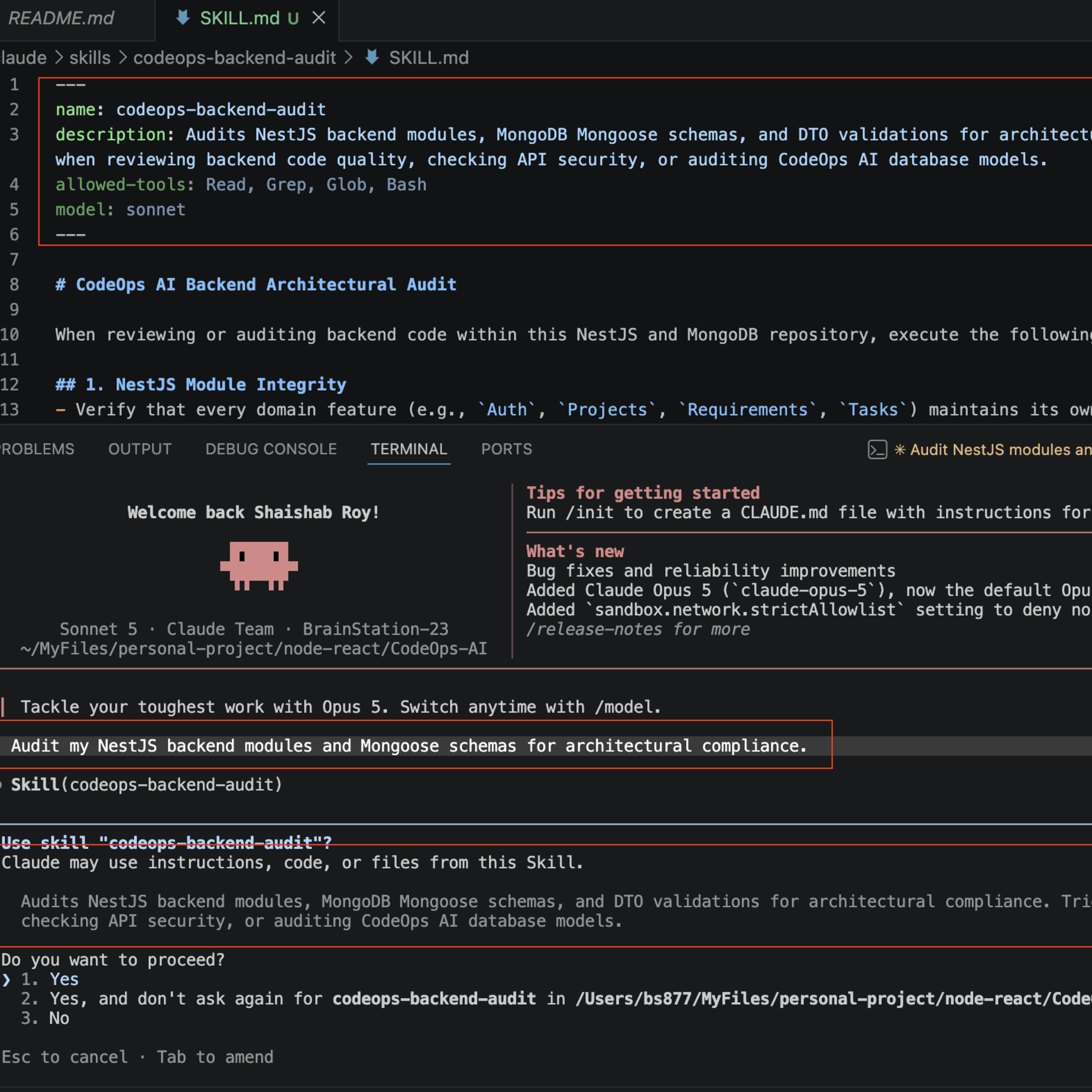
Figure 1: Terminal prompt confirming automatic semantic match for the codeops-backend-audit skill.
Once confirmed, the terminal activates the skill and explicitly confirms its execution scope. As shown in the execution output below, the system correctly identifies that only 4 tools are allowed (Read, Grep, Glob, Bash), binds the requested model (claude-sonnet-5), and begins inspecting our NestJS files without risking destructive edits:
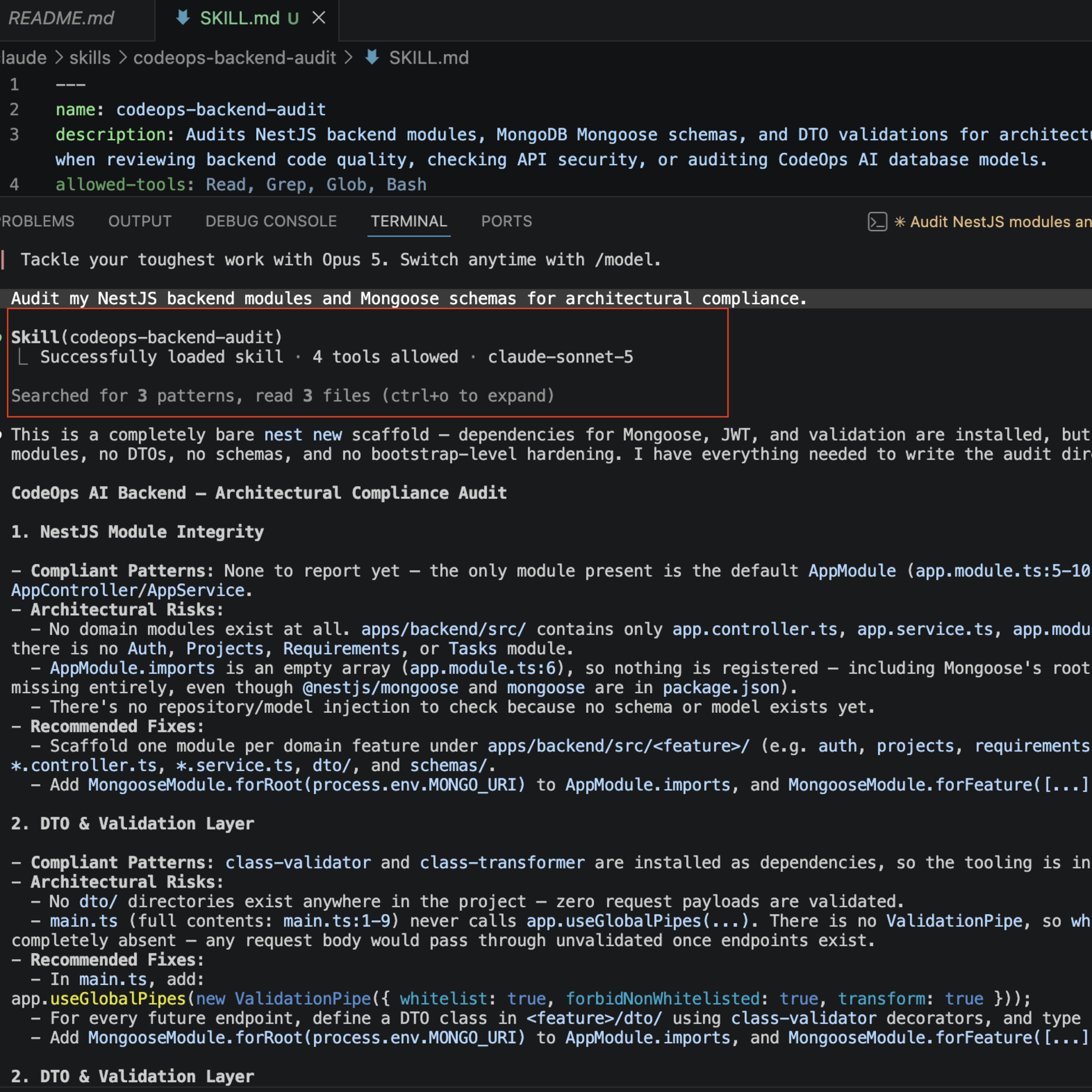
Figure 2: Active skill execution confirming 4 allowed tools, Sonnet model binding, and read-only NestJS compliance findings.
One of the most powerful optimization patterns in terminal AI workflows is instructing the agent to run a script rather than read it. If you ask an AI agent to parse a 1,000-line JSON payload or audit environment variables in apps/backend/.env By reading the raw file, all those lines consume prompt tokens.
Instead, place a Node.js or bash script inside your .claude/skills/codeops-backend-audit/scripts/ folder. Instruct SKILL.md to execute yarn audit-env. The script runs in the background, and only the concise terminal output (e.g., 'All 12 env variables validated successfully') is fed into the conversation context. This keeps your token usage minimal while maintaining 100% deterministic accuracy.
Series Summary & What's Next
In this guide, we advanced from basic skill creation to enterprise-grade management inside our CodeOps AI monorepo. By combining read-only tool restrictions, progressive directory layouts, and executable script runners, you can build robust automation blueprints for complex frameworks like NestJS, Next.js, and MongoDB without overflowing your context window.
In the next post, we will compare Agent Skills against other terminal customization options—such as CLAUDE.md files, hooks, subagents, and MCP servers—so you can choose the exact tool for every architectural requirement.
Comments