NestJS Modules & Domain Boundaries: Structuring Enterprise Application Graphs


Mr. Roy
Published about 2 months ago

Discover curated collections of blog posts
Mr. Roy
Published about 2 months ago
Strategic Writer
A technology and business leader with a strong focus on digital transformation, software delivery, and strategic growth. Experienced in leading JavaScript-focused teams, driving business development initiatives, and building innovative SaaS products. Passionate about AI-powered solutions, product development, stakeholder management, and creating scalable digital platforms. Skilled at bridging the gap between business objectives and technology execution while fostering collaboration across clients, teams, and partners.
Get personalized recommendations based on your reading history and interests. Visit the member dashboard to see blogs tailored just for you.
As backend systems scale, the fastest way I see teams accumulate technical debt is by neglecting strict component encapsulation. Without well-defined domain boundaries, engineers begin cross-calling internal repositories haphazardly. This creates a tangled web of dependencies that makes testing painful, slows down feature delivery, and increases regression risks across teams.
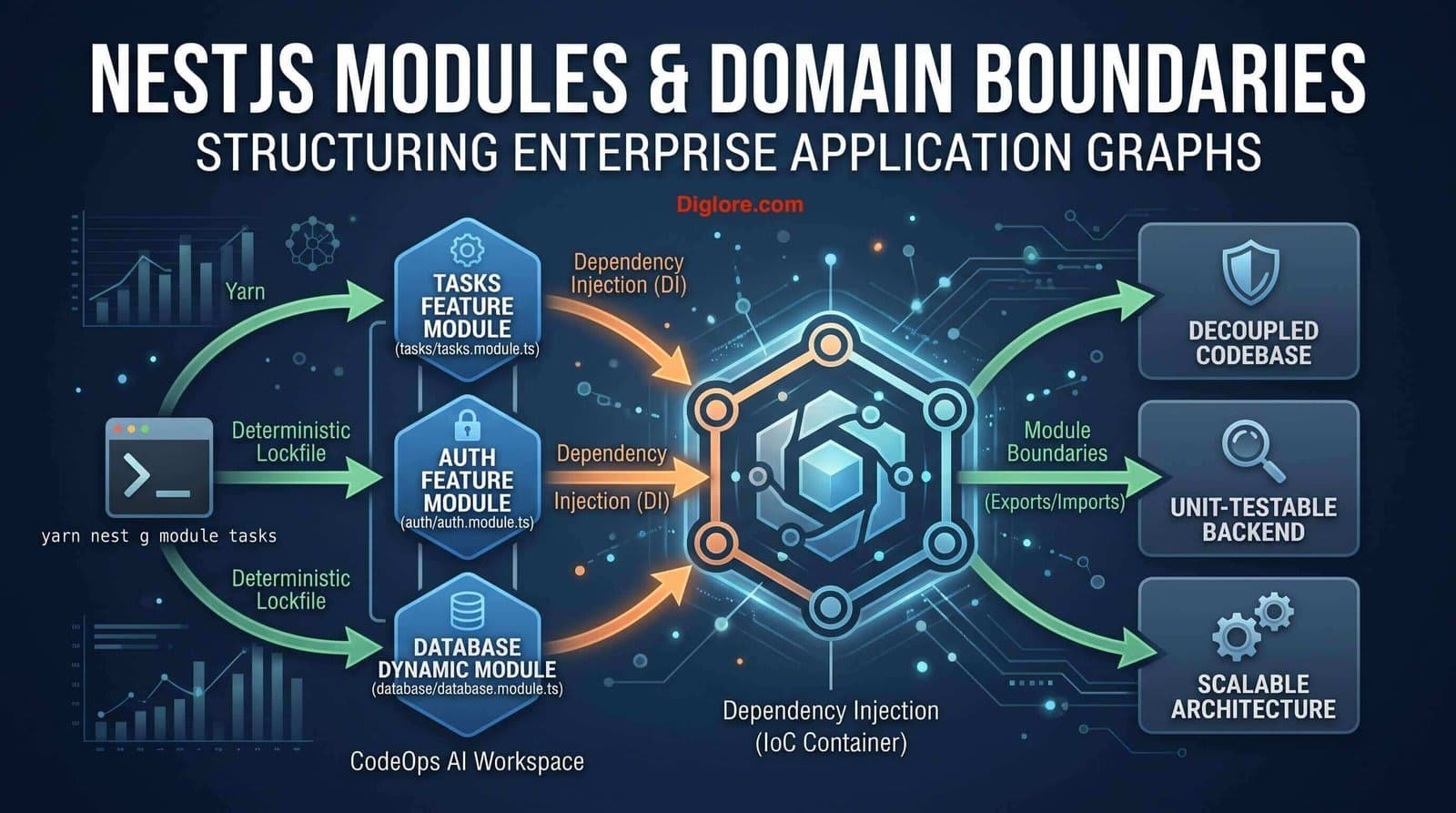
In this guide, I take a deep dive into NestJS Modules—the fundamental building blocks that Nest uses to construct its application graph. I will walk through creating feature modules, sharing singleton services, re-exporting core modules, and configuring dynamic modules for CodeOps AI (my AI Software Engineering Workspace project) using Yarn as the standard package manager.
Master the @Module() Metadata Contract: Configure providers, controllers, imports, and exports to establish clear boundary lines across application contexts.
Construct Feature Modules with Yarn: Scaffold domain-focused modules that group related services, controllers, and data schemas into cohesive units.
Share Singleton Services Safely: Export providers across module boundaries to optimize memory footprint and ensure consistent application state.
Architect Configurable Dynamic Modules: Build dynamic module factories (forRoot) to pass runtime configurations seamlessly into dependency injection trees.
In NestJS, a module is a TypeScript class decorated with @Module(). This metadata provides the internal dependency injection engine with the exact roadmap needed to construct an application graph—a directed acyclic graph (DAG) used to map out and resolve dependencies across isolated domain boundaries.
Metadata Property | Scope & Functionality | CodeOps AI Architectural Role |
providers | Instantiated by the Nest injector within the local module scope. | Encapsulates task execution logic, database adapters, and prompt helpers. |
controllers | Specifies the set of REST route handlers managed by this module. | Exposes endpoint channels for task creation, status updates, and monitoring. |
imports | Lists external modules whose exported providers are required here. | Imports database modules, authentication contexts, or shared utilities. |
exports | Defines the subset of providers made available to other modules. | Establishes the module's public API contract while keeping private helpers hidden. |
To preserve clean separation of concerns, I always recommend grouping related domain entities inside feature modules. Generate a Tasks feature module using Yarn:
# Scaffold the tasks domain module using Nest CLI & Yarn
yarn nest g module tasksInside TasksModule, I declare its dedicated controller and service provider, explicitly exporting the service so it can be consumed elsewhere in the workspace:
// tasks/tasks.module.ts
import { Module } from '@nestjs/common';
import { TasksController } from './tasks.controller';
import { TasksService } from './tasks.service';

@Module({
  controllers: [TasksController],
  providers: [TasksService],
  exports: [TasksService], // Expose TasksService as a public API interface
})
export class TasksModule {}
Next, I register TasksModule in the root AppModule to include it in the main application tree:
// app.module.ts
import { Module } from '@nestjs/common';
import { TasksModule } from './tasks/tasks.module';

@Module({
  imports: [TasksModule],
})
export class AppModule {}NestJS treats modules as singletons by default. When a provider like TasksService is exported by TasksModule, every other module that imports TasksModule shares that exact same service instance.
Architectural Rule: Avoid Provider Re-registration
Never add the same service class to the 'providers' array of multiple modules. Doing so instantiates separate service instances across your application, leading to memory bloat and fragmented internal state. Always encapsulate the service in its home module and export it instead.
Modules can also re-export modules they import, simplifying dependency imports across multi-tiered architectures:
// core/core.module.ts
import { Module } from '@nestjs/common';
import { CommonModule } from '../common/common.module';

@Module({
  imports: [CommonModule],
  exports: [CommonModule], // Re-exporting CommonModule for consumer convenience
})
export class CoreModule {}When a module needs to accept custom runtime configurations (such as dynamic database settings or third-party API credentials), I implement a dynamic module using static factory methods like forRoot():
// database/database.module.ts
import { Module, DynamicModule } from '@nestjs/common';
import { createDatabaseProviders } from './database.providers';
import { Connection } from './connection.provider';

@Module({
  providers: [Connection],
  exports: [Connection],
})
export class DatabaseModule {
  static forRoot(entities = [], options?): DynamicModule {
    const providers = createDatabaseProviders(options, entities);
    return {
      module: DatabaseModule,
      providers: providers,
      exports: providers,
    };
  }
}
Registering the dynamic module in AppModule with target configurations:
// app.module.ts
import { Module } from '@nestjs/common';
import { DatabaseModule } from './database/database.module';
import { TaskEntity } from './tasks/entities/task.entity';

@Module({
  imports: [DatabaseModule.forRoot([TaskEntity])],
})
export class AppModule {}To maintain clean module boundaries and verify application graph stability, I use these standard Yarn tasks:
# Launch development server with live reload
yarn start:dev

# Validate syntax and module import rules via ESLint
yarn lint

# Run end-to-end integration tests across module boundaries
yarn test:e2eOverusing Global Modules (@Global): Decorating too many modules with @Global() breaks modular encapsulation and pollutes the global namespace. Reserve @Global() strictly for core, application-wide utilities like Config or Database modules.
Circular Dependencies: Creating circular imports between ModuleA and ModuleB causes unresolved dependency errors at runtime. Resolve this using forwardRef() or by extracting shared logic into a dedicated CommonModule.
Join the Discussion & Share Your Feedback
I’d love to hear your thoughts on this architecture! How are you handling this in your own project? Drop your feedback, questions, or experiences in the comment section below.
NestJS Modules supply the structural scaffolding required to keep enterprise Node.js applications scalable and maintainable over time. By defining clear feature scopes, exposing well-designed public interfaces, and utilizing dynamic module patterns, you keep your codebase decoupled and straightforward to test.
Comments